
Overview
The API Hub provides access to Thredd's API suite using a single URL. You can access services across all environments using this single URL, which will then send you automatically to the correct service and environment. Using a single URL provides you with a single, consistent interface for accessing the Thredd platform, simplifying integration and enabling seamless scalability.
The following diagram shows some of the different services that API Hub connects to:
- Card management enables you to create and manage cards
- Event delivery service enables you to use Thredd's webhooks, enabling you to send notifications to your customers
- Digital wallets enables you to set up Google and Apple In-App Push Provisioning
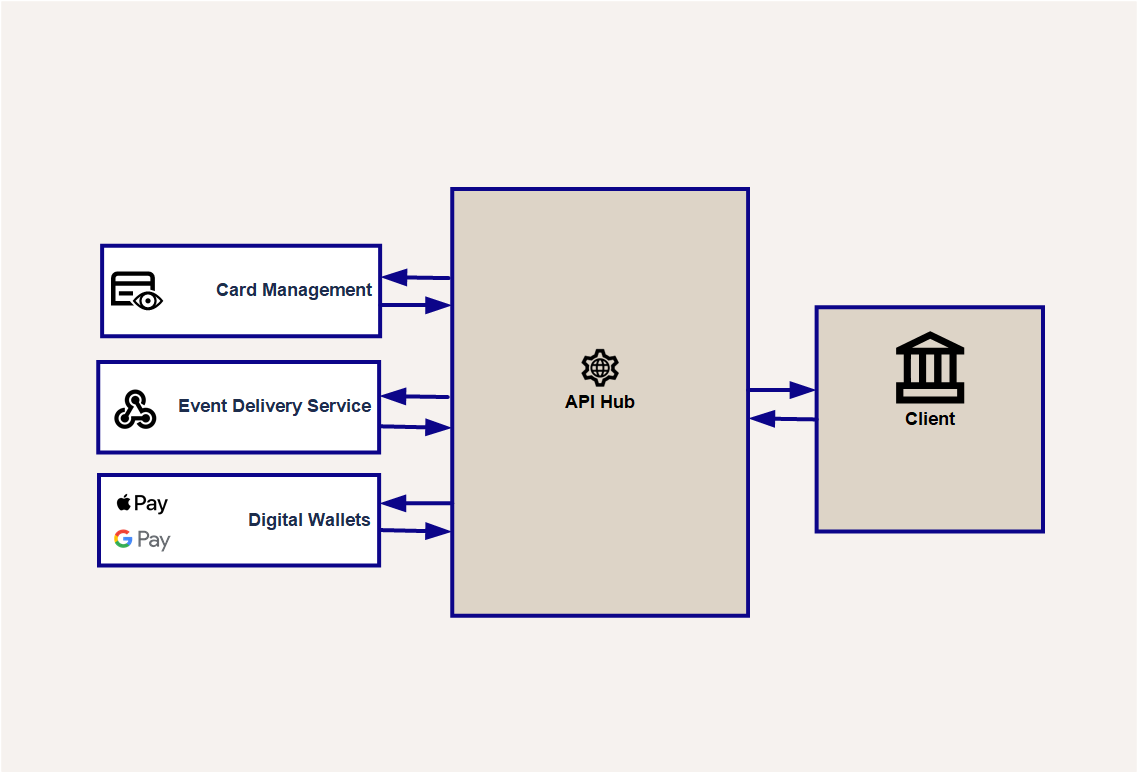
Figure 1: API Hub Overview
Authentication and accessing the API Hub
Before you can use the API Hub, your organisation, applications and users must be set up on Thredd's Secure Framework and in Thredd Portal. These combine several components that enable secure access to Thredd’s resources, using a common identity store, over TLS (Transport Level Security) or mTLS (Mutual Transport Level Security).
Thredd Portal sits at the centre of this, enabling Super Admin users to manage their organisation's applications, users, and credentials to access Thredd services through a single portal and dashboard. Webhook management is available to users with the Developer role, while cards and transaction management is available to users with an appropriate role.
A Super Admin user must create an application and OAuth Client in Thredd Portal. They must also obtain the credentials that you need to connect to the API Hub, depending on your application's authentication method.
Thredd supports the following Client Authentication methods for connecting to the REST APIs:
- Client Secret — requires an access token.
- Mutual TLS connections also require a Transport Certificate from Thredd.
Separate Postman Collections for TLS and mTLS enable you to test the Thredd REST APIs in a UAT environment. To use the collection, you need to configure Postman with the appropriate environment variables and credentials.
InformationTo learn more about configuring your requests with the correct base URLs and headers, and requesting an access token, see Accessing API Hub.
See Connecting to Thredd Guide to learn about setting up users, an application and OAuth client and requesting client credentials in Thredd Portal. It also contains a full guide to configuring your REST tool and the Postman Collections to make API calls.
Important note for existing Cloudentity and Raidiam Connect usersThredd is removing support for Cloudentity and Raidiam Connect (for mTLS connections) for handling authentication and issuing certificates. If you have previously used Cloudentity and Raidiam Connect, your organisation's Admin user must migrate your organisation's connectivity, access and certificate management to Thredd Portal. Thredd will notify all clients this applies to and provide documentation to help clients migrate, and configure their environments and new Postman Collections. See the Migration Guide.
Updated about 1 month ago
What’s Next
See Accessing API Hub for information on how to access the Thredd API Hub platform